Industry News

UV Tattoo Sticker: Print and Transfer with PrintWant PW301‑UV

Views : 16
Author : Alex
Update time : 2026-11-12 11:43:02
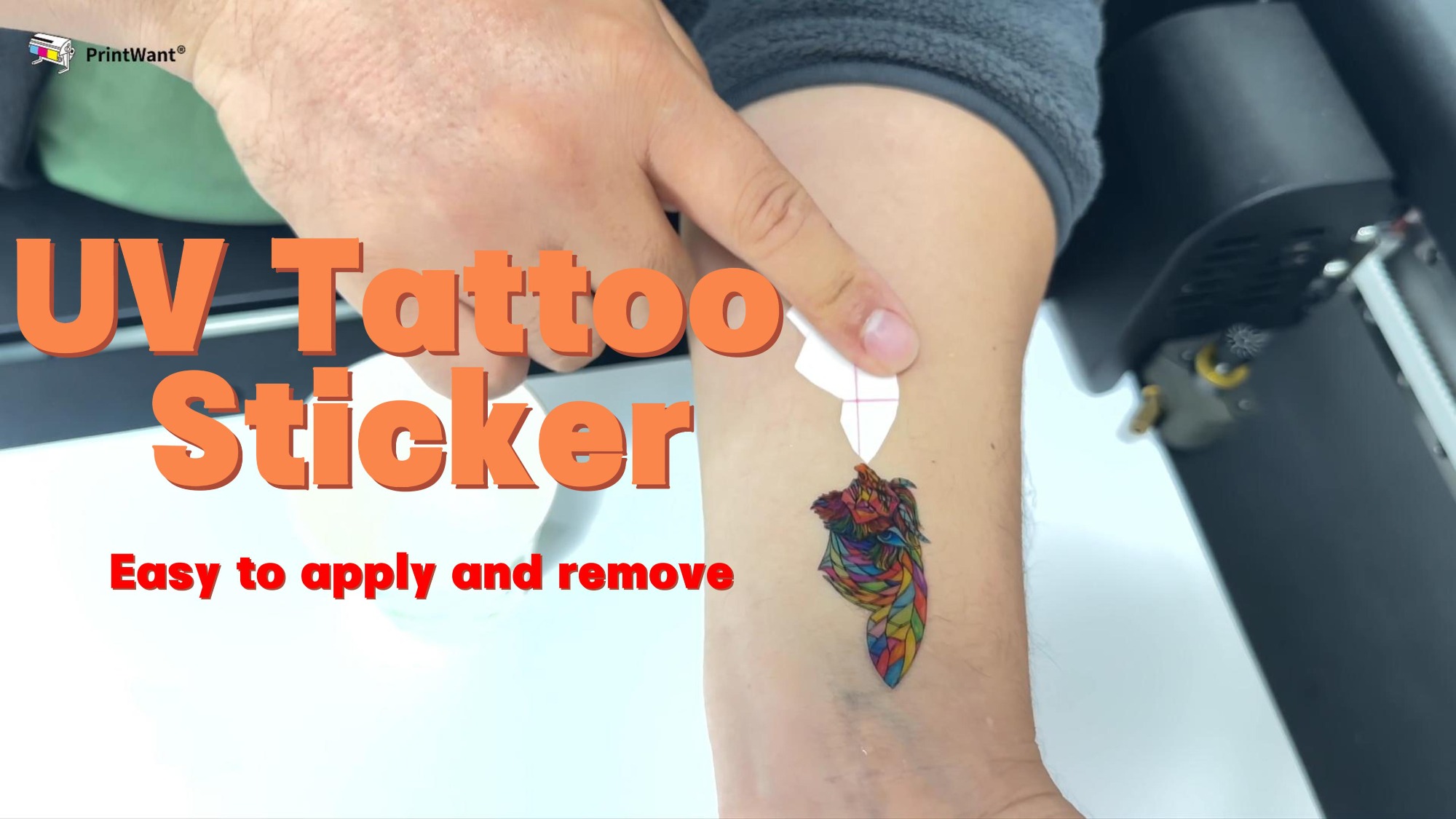
UV tattoo stickers are water‑transfer temporary tattoos manufactured by UV curing printing. The “UV” in the name stands for the UV LED curing process, which creates sharp, true‑color patterns for custom body art, brand promotional gifts and personalized decorations. When paired with the PrintWant PW301‑UV 3D Printer, you can make these skin‑safe tattoo stickers effortlessly, with no need to switch inks.


Printing Workflow on the PW301‑UV
The PrintWant PW301‑UV supports producing UV tattoo stickers using its original CMYK+W+V ink set directly. There is no requirement to drain or flush the ink system when switching between 3D labels, TPU patches and water‑slide tattoo films. This saves valuable production time and cuts ink waste for print studios.

First, prepare your artwork and adjust colors for the transfer film.  Load professional water‑slide transfer film, which includes a release layer, water‑soluble adhesive and backing paper. The PW301‑UV jets standard UV ink onto the film, and its built‑in UV lamps cure the ink instantly. The cured print resists smudging and delivers stable, vibrant colors. After printing, cover the pattern with a thin transparent protective laminate to guard against scratches and grease. You can then die‑cut the sheets into individual tattoo stickers. Always use cosmetic‑grade, skin‑friendly ink; industrial UV ink for hard surfaces may irritate skin.

Simple Skin Transfer & Easy Removal
One major advantage of these UV tattoo stickers is their user‑friendly operation. Transferring the finished pattern onto skin is straightforward. Start by cleaning and fully drying the target skin area, removing all lotion, sunscreen, sweat and oil, as residue will weaken adhesion.
1. Peel off the top clear protective film carefully and avoid touching the printed surface.
2. Lay the printed side face down on your skin and hold it firmly in place.
3. Press a damp sponge or towel evenly over the backing paper for around 30 seconds with steady pressure. Do not rub back and forth.
4. Slowly slide the backing paper off. If it sticks, add more water and wait a little longer.
5. Let the tattoo air dry naturally for at least 1 minutes. Once set, it becomes waterproof and sweat resistant.

Removal is just as simple when you want a new design or no longer need the tattoo. Apply baby oil or rubbing alcohol to the surface, wait about one minute, then gently wipe the pattern away. No harsh scrubbing or painful peeling is needed. A well‑applied tattoo normally lasts 3 to 5 days. Avoid applying it on broken, irritated skin or near the eyes and mouth.

Thanks to the easy printing on the PW301‑UV, hassle‑free transfer and convenient removal, these UV tattoo stickers are a flexible add‑on product for print businesses to expand their custom service range.
Related News
Read More >>
Crude Oil Price Surge Pushes Up DTF Base Film Costs — PrintWant Maintains Original Prices With Pre-Stocked Raw Materials Crude Oil Price Surge Pushes Up DTF Base Film Costs — PrintWant Maintains Original Prices With Pre-Stocked Raw Materials
Nov .04.2026
Since PET, the core raw material for DTF transfer film, is derived from petrochemical chains, every rise in crude oil directly drives up the cost of base film.
DTF Puff Foaming Powder: Usage Guide and Printing Effects DTF Puff Foaming Powder: Usage Guide and Printing Effects
Oct .13.2026
DTF puff foaming powder is a specialized heat-expandable hot-melt powder designed for Direct-to-Film printing.
DTF PET Transfer Film — Process Operation Manual & Troubleshooting Reference DTF PET Transfer Film — Process Operation Manual & Troubleshooting Reference
Sep .11.2026
Important preface: Consistent output quality relies on matched consumables: dedicated DTF transfer film, certified DTF pigment inks, calibrated colour management software and supporting hardware peripherals.
Consent Preferences